Amazon Policy & Account Health How-To Guides
This is the Amazon policy section of the Goat Consulting blog, where we cover how Amazon's seller rules, restricted products, account health metrics, and appeal processes actually work from a seller's point of view. You'll find practitioner-written guides on listing suspensions, writing a plan of action, hazmat classification, category ungating, intellectual property complaints, and managing Account Health. Every post is written by a member of our team who has navigated these policies for brands across dozens of product categories, so you get both what the rule says and what Amazon actually enforces in practice.
Most sellers land here while trying to resolve a suspension, violation, or compliance question, so the posts below are meant to be a working reference when something breaks or when you want to prevent the next issue. If you'd rather have the Goat Consulting team handle a suspension appeal, reinstatement, or ongoing compliance monitoring for you instead of doing it in-house, reach out.
Amazon SAFE-T Claims Policy: How to File an Amazon SAFE-T Claim
Amazon SAFE-T claim allows sellers to claim reimbursements from customer returns. As an Amazon seller, you know that returns are a part of doing business. But what happens when a customer returns an item that is damaged, missing parts, or the wrong item? Through Amazon’s SAFE-T claims policy, an Amazon seller can issue a refund to a customer if, the losses occurred through no fault of the seller or the damage was in the course of its preparation or delivery. If done correctly you can get reimbursed for the cost of the return shipping and the refund.
Through filing SAFE-T claims through seller support and paying attention to your returns, you can help recoup costs that were inflicted by the return process.
Update an Amazon Product Listing with Error Code 8541
You are likely on this page because you went to update a product listing and ran in to error code 8541 and you want to know how to resolve it. As an Amazon seller, knowing how to troubleshoot different errors will help you mitigate risk and resolve listing issues quickly. Error code 8541 on Seller Central this means that there is a conflict between your submitted information and what Amazon has saved. This error can occur on any attribute, but is most frequently seen when trying to update core product information like Product Type, Item Name/Title, Brand Name, Manufacturer, and Model Number. This post will what error code 8541 is, how to to fix error code 8541 and a strategy for preventing Amazon error code 8541.

Amazon Product Authenticity and Quality Policy: A 2026 Seller Guide
This post is about Amazon's Product Authenticity and Quality Policy, what triggers a violation, how to read the notification Amazon sends when a listing is flagged, and how to write a plan of action that gets your listing reinstated. If you've received an email from Amazon with the subject line "You are offering items that may be inauthentic" or a dashboard notice about a quality complaint on one of your ASINs, this post walks through exactly what Amazon is looking for, what documents you need, and what the realistic timeline looks like for reinstatement.
How to Write an Effective Amazon Appeal to Reinstate a Product Listing
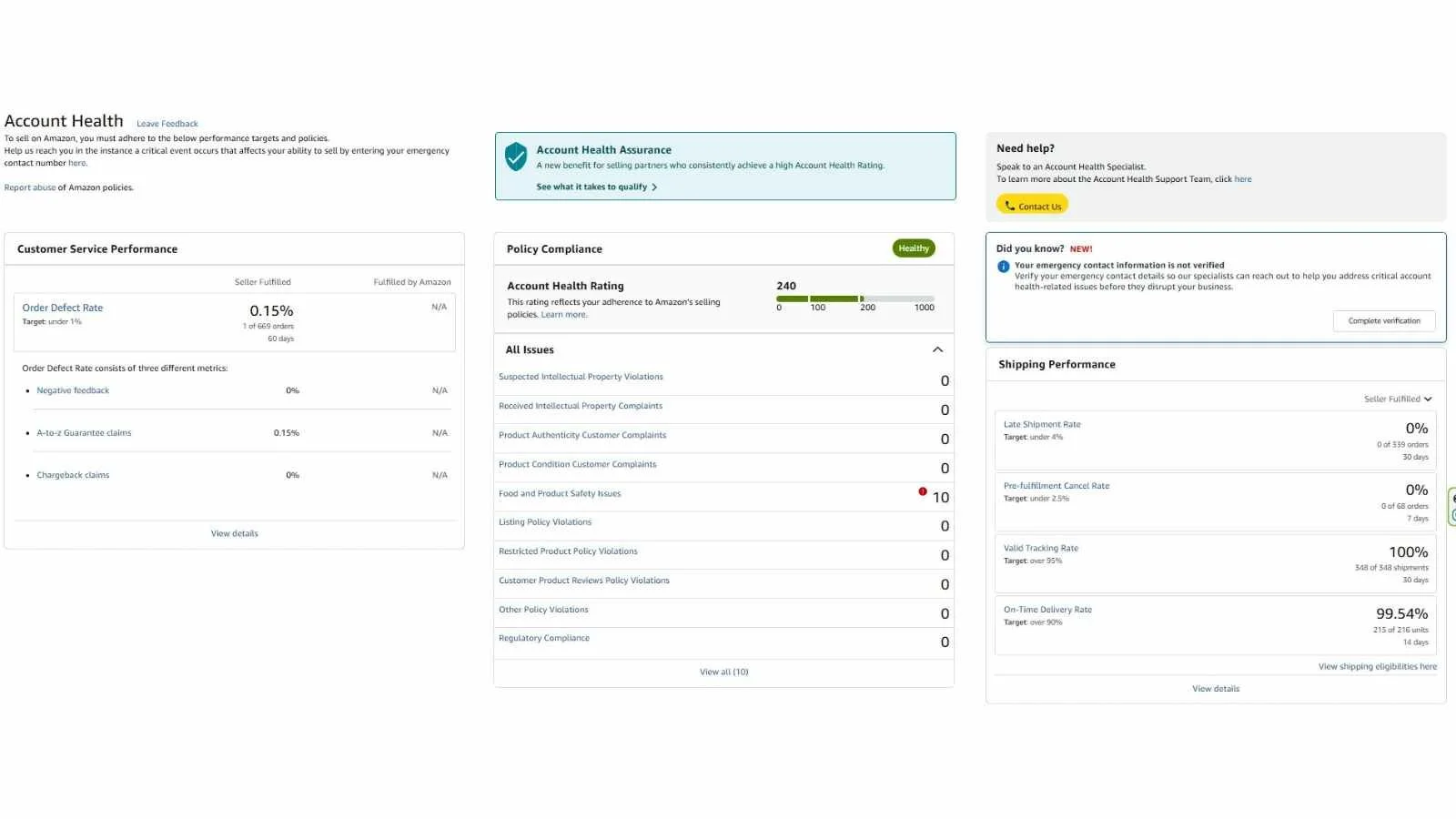
This post covers the kinds of violations that trigger an appeal in 2026, what an effective Plan of Action looks like, how to submit one through the current Seller Central interface, the difference between a listing appeal and a Section 3 account suspension appeal, the three paths for resolving an intellectual property complaint, the most common reasons appeals get rejected, and what Account Health Assurance is and how it fits in. At Goat Consulting, we've handled hundreds of reinstatements across many product categories, and the patterns that lead to a successful appeal versus a rejected one are pretty consistent.

Amazon Pesticides and Pesticide Devices Policy: 2026 Seller Compliance Guide
Amazon prioritizes customer safety and trust. In coordination with the Environmental Protection Agency and FIFRA, Amazon’s policies aim to minimize the amount of non-regulated Pesticide and Pesticide Device products listed on Amazon.
Amazon Page Not Found: How to Reinstate Your Product Listing
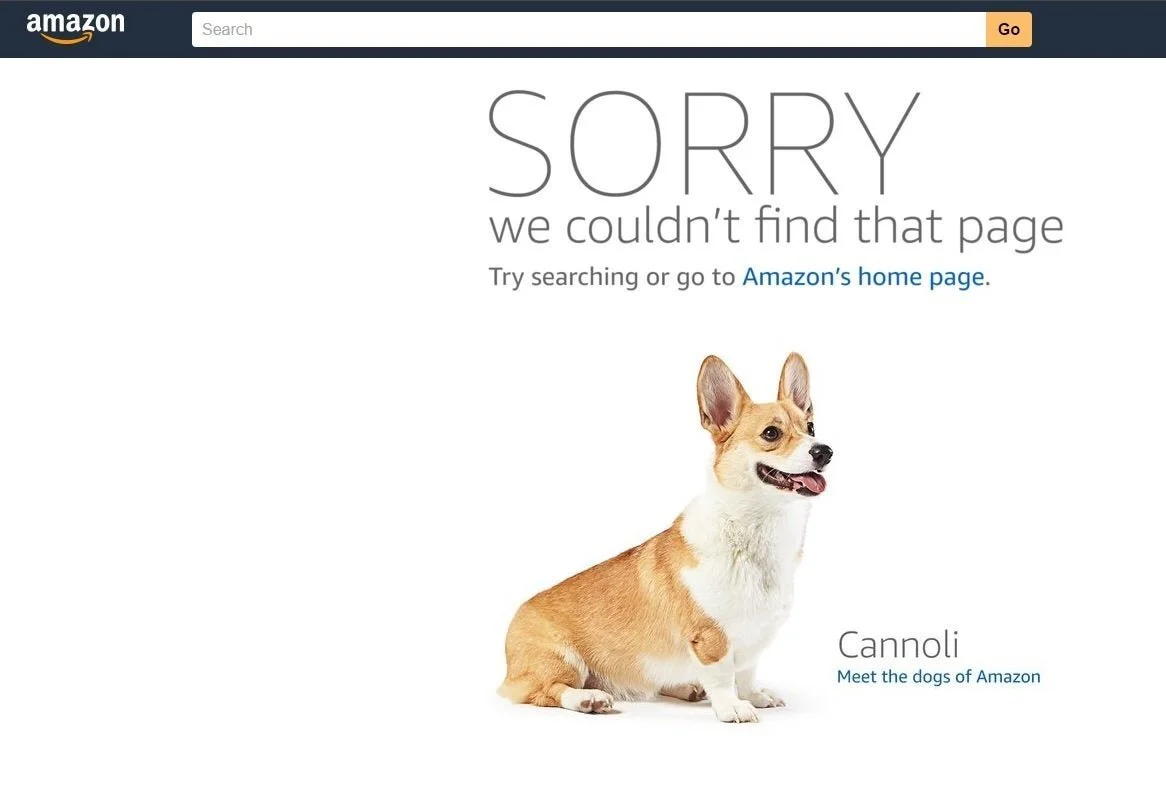
This post covers what to do when an Amazon product listing you own suddenly shows a "Sorry, we couldn't find that page" message with a photo of a dog on it. That page, which sellers call the "Amazon dog page," is Amazon's 404 error, and when your own ASIN lands on it, it means the listing has been yanked from the catalog. Every minute your listing is down is a minute you're not making sales, so the goal of this post is to walk you through the exact diagnostic and reinstatement process we use at Goat Consulting to get ASINs back live as quickly as possible.